Features
Everything a gun shop does in a day, in one system.
Ring sales, receive shipments, order from distributors, keep the book, run transfers — and run one business across the counter and your BigCommerce store: pickup with the 4473, store stock on the website, prices and coupons that agree, online orders at the register.
Register
A counter that moves as fast as your busiest Saturday.
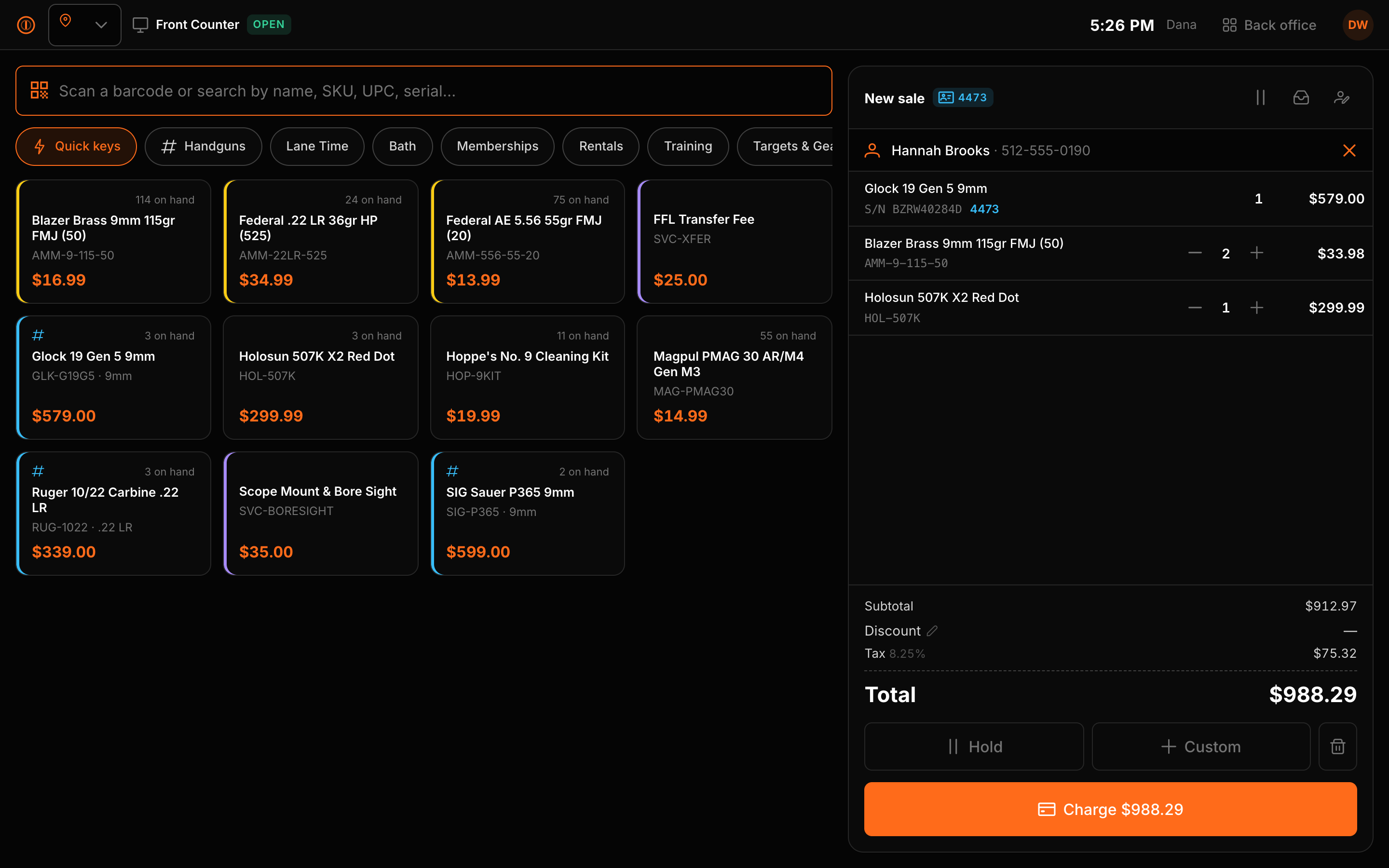
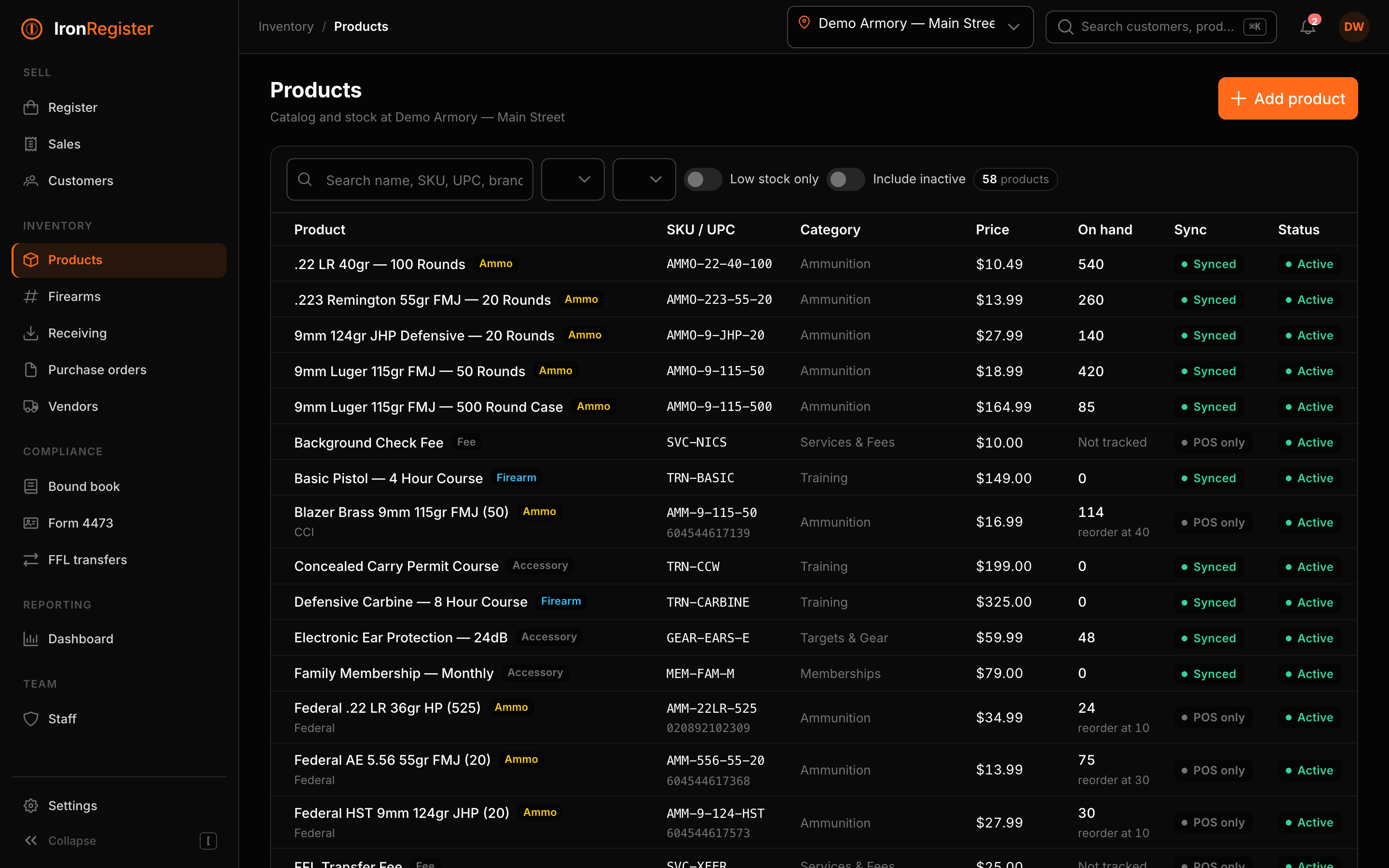
Scan a UPC, a SKU, or the tag on a rental-wall gun. Quick keys for the things you sell all day. Firearms prompt for the serial and flag the sale for a 4473 before tender.
- Held sales, split tender, quick-cash buttons, change due
- Cashier switch by PIN on a shared terminal
- Drawer open / paid in / paid out / close with variance
- Degraded mode: accessory sales queue and sync when the network returns
Inventory & receiving
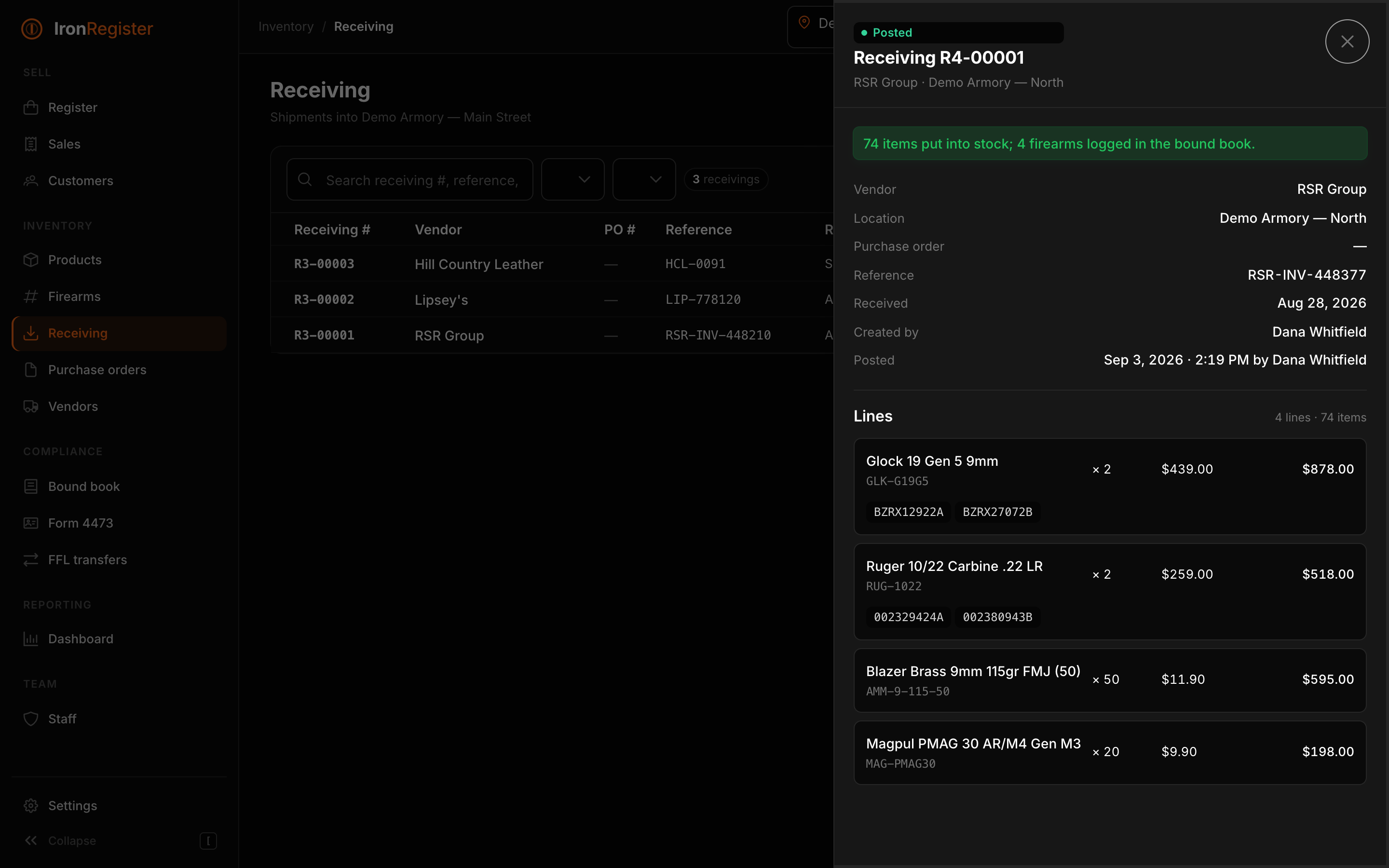
Scan the box, type the serials, post.
Receiving is a worksheet until you post it. Posting puts stock on the shelf, creates a serialized unit per firearm, and writes each one into the bound book as an acquisition from the vendor — in one transaction.
- Every quantity change is a ledger entry you can read back
- Serial count must match quantity before a line can post
- Per-location reorder points and bins
- Firearms, ammo and accessories with age and tax classes
Purchase orders
From low stock to a vendor PO in three clicks.
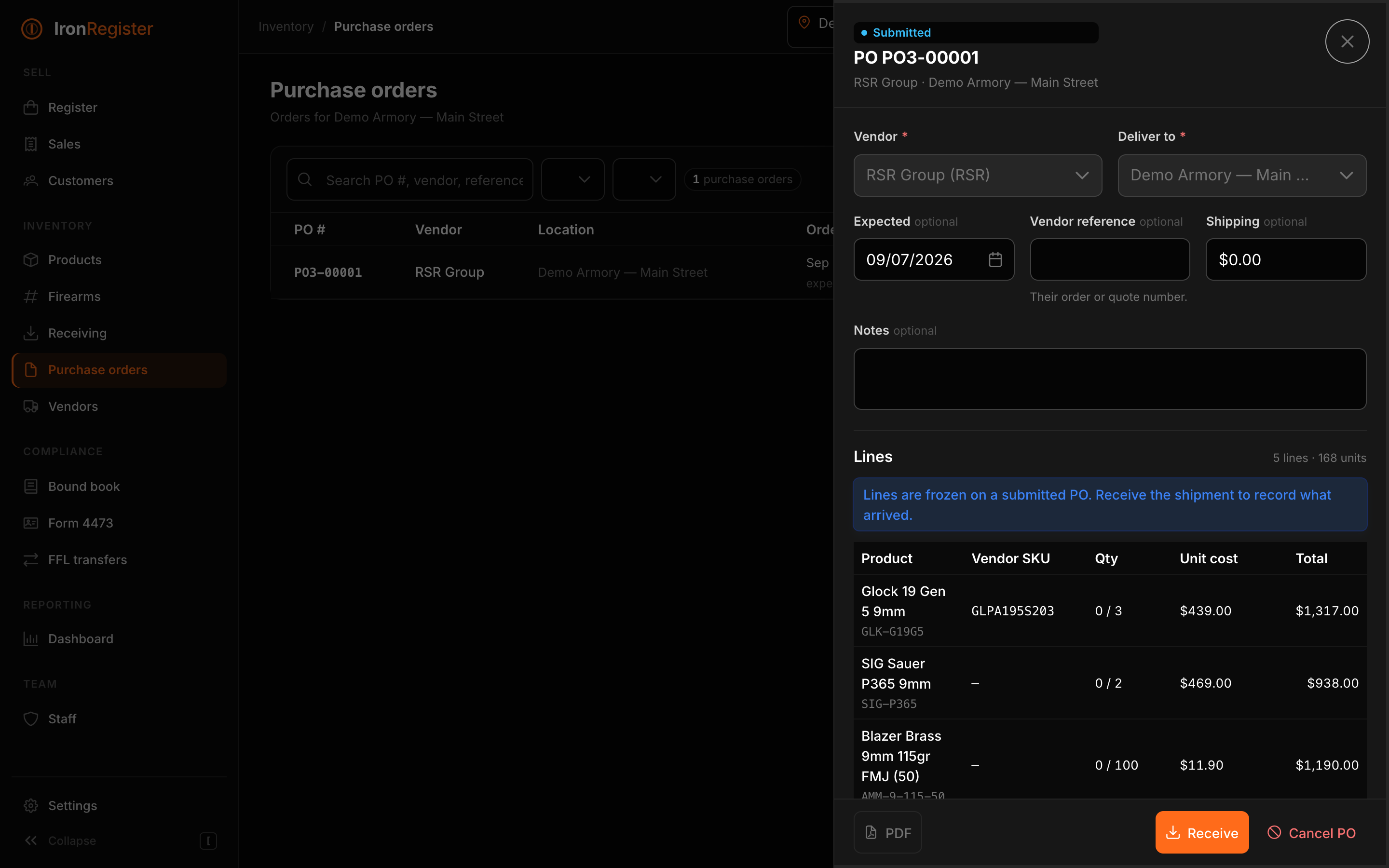
Pick the vendor, tap “Add low stock”, scan anything else, and send a branded PO. Receive against it when the boxes land.
- Auto-fill from reorder points per vendor
- Barcode scanning straight into the PO
- PDF with your logo, FFL and ship-to
- Partial receipts tracked line by line
Serialized from the box
A firearm is a serial number with a history, not a SKU with a quantity.
Every unit carries its own status — in stock, reserved, transferred, on the bench — and its own bound-book line. The register, the 4473, the transfer and the inventory count all point at the same record.
Range add-on
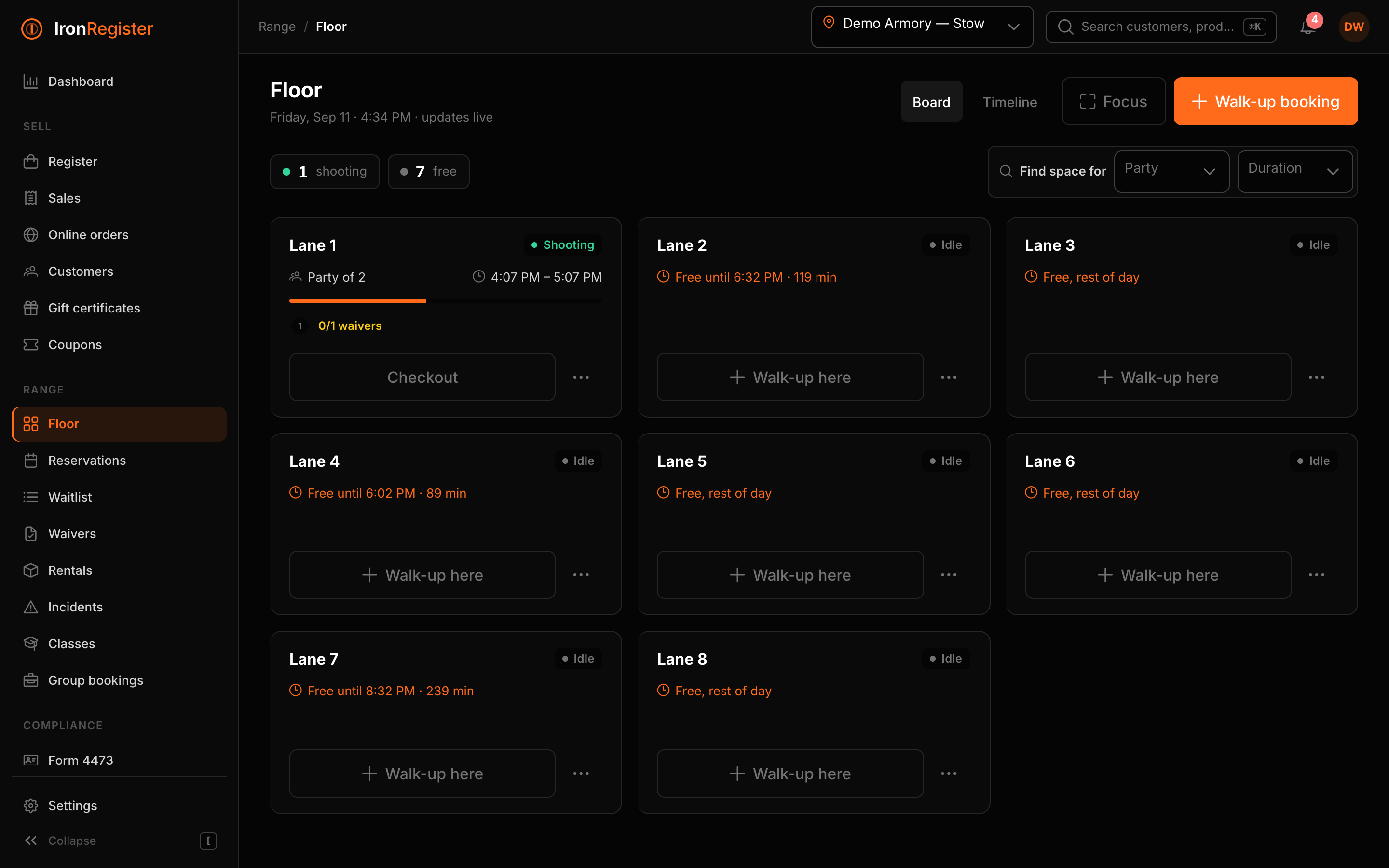
The lanes, on the same register as the counter.
Add Range to any tier and the range runs inside Iron Register: lanes, rules and pricing, a live floor, bookings from your BigCommerce store, walk-ups rung up at the register, waivers signed on a kiosk or a phone, rental guns that live on the bound book, classes and group events. One customer record, one login, one report.
- Online booking through your own store: the shopper holds a lane, the order webhook confirms it
- Walk-ups are sale lines: pay, check in, add time, all on the ticket
- Waivers on a lobby iPad or a QR link, cached on the customer so the counter never guesses
- Rental firearms are serialized items: every checkout is a bound-book note
Trade-ins, consignment & used guns
Take the trade. Book the gun. Keep the customer.
A trade-in is an acquisition, a valuation and a payout on one ticket. Iron Register writes the bound-book entry from the individual, puts the gun in stock with its condition and cost, and lets the customer take the value as an allowance on today’s purchase, as store credit, or as cash out of the drawer. Consignments follow the same path with an asking price and a fee, and pay the consignor when the gun sells.
- Allowance reduces the taxable amount in states that permit it, and the register shows the tax saved by using it today
- Store credit is spendable at the counter and on your BigCommerce store
- Consignment agreements with fee, minimum price and term; payout in cash, check or credit; return-to-owner disposition if it doesn’t sell
- Hold periods, ID verification and stolen-serial checks per location
Compliance
Bound book, 4473 and transfers built in — not bolted on.
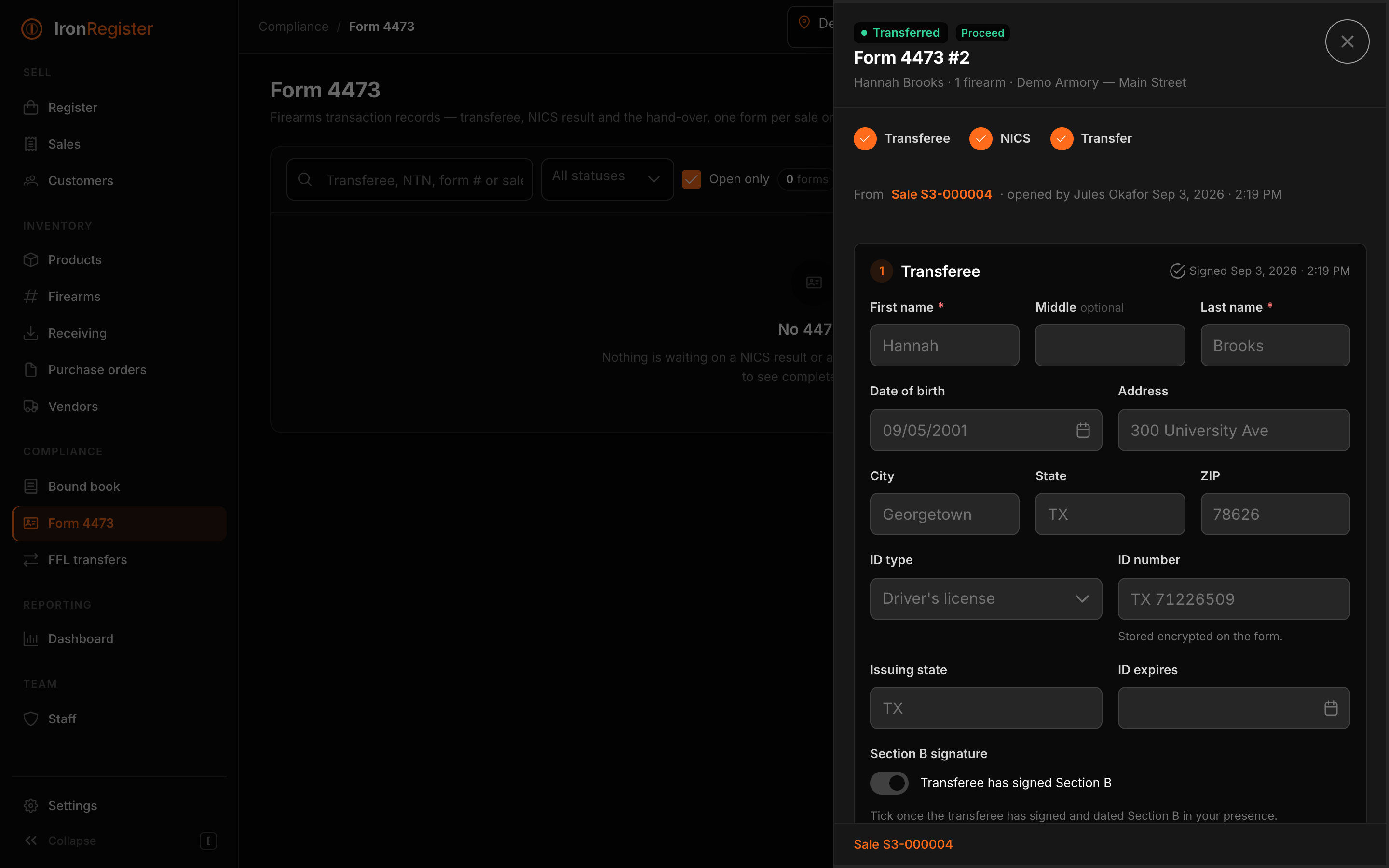
One A&D book per licensed premises with a tamper-evident hash chain. A 4473 workstation that walks transferee → NICS result → transfer. Inbound and outbound FFL transfers that log themselves.
- Nothing is ever deleted: corrections and voids are events with reasons
- Transfer blocked until a NICS proceed and a recorded signature
- Customer pickup emails when a transfer is ready
- CSV export and one-click chain verification for inspections
BigCommerce
The store is the catalog. The counter is the truth for the shelf.
Connect with a store API account and Iron Register imports the catalog, keeps the link per product and variant, and writes stock back per inventory location as it moves at the counter — sales, receiving, counts, returns, transfers. Exactly one system writes stock to the website. When the Flxpoint connector arrives (coming soon), the POS can step aside and let it own the online number.
- One-click catalog import; product, order and customer webhooks keep things current
- Stock per store pushed to BigCommerce inventory locations after every movement
- Scheduled sale prices that go live and come off the storefront on their own
- Store credit and gift certificates work in both places, one balance
- Explicit inventory authority: the POS today; Flxpoint as an option when a distributor feed sits between (coming soon)
Buy online, pick up in store
Pickup that knows what a firearm is.
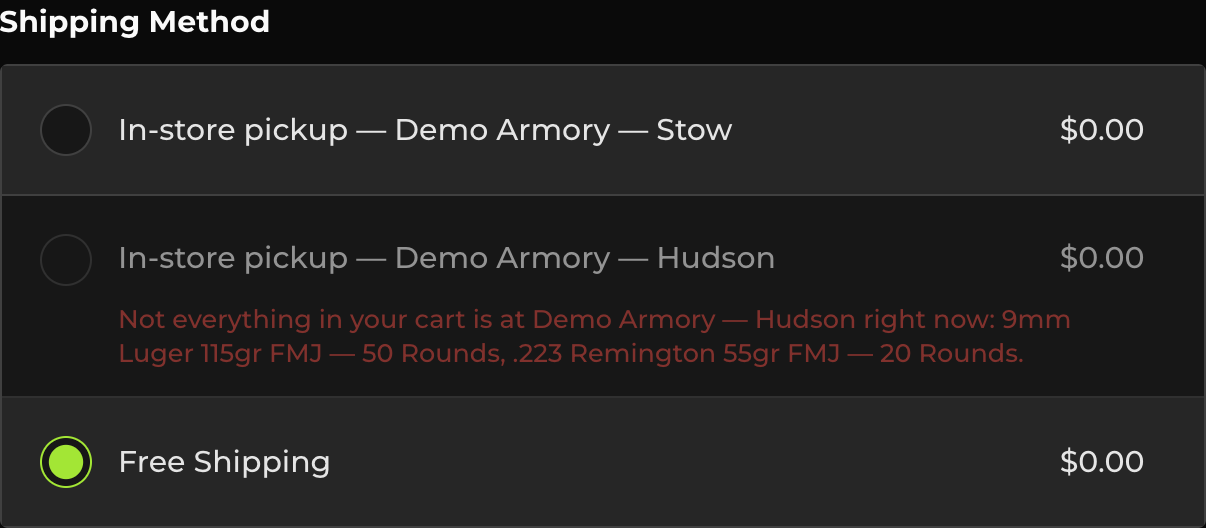
Switch a store on and it appears at checkout as a $0 pickup option, with the BigCommerce location, pickup method and per-store stock created for you. Paid pickups land in that store’s register queue. A firearm pickup opens the 4473 at the online price, and the order completes only when the transfer is done and signed.
- One switch per store; multi-store dealers get one option per store
- Per-store pickup queue at the register: mark ready, mark picked up
- Firearms go through the 4473; stock leaves the pickup store’s shelf, not the default one
- Checkout greys out a store that can’t fill the whole cart and says which item
Store stock on the website
“Is it on the shelf?” Answered on the product page.
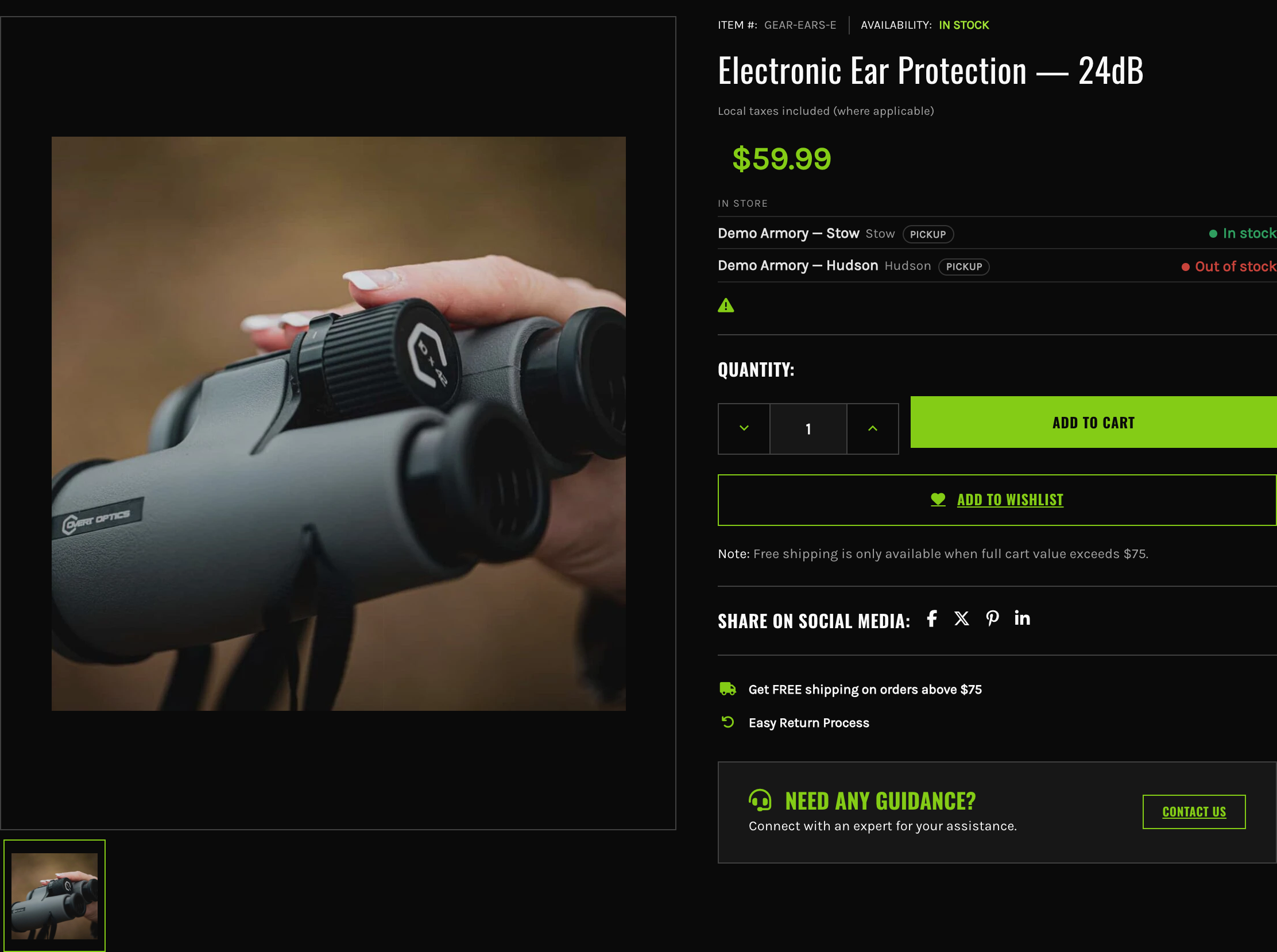
Shoppers see what each store has — In stock, Low stock, Out of stock, or the exact count if you prefer — on product pages, in quick view and in the cart, read live from the register rather than from a figure that lags. Each location decides whether it shows.
- Availability or counts, your choice; low stock follows each store’s reorder point
- Per-location opt-out for a warehouse or a gunsmith-only site
- Services like lane time and classes never show as out of stock
- Read-only, rate-limited, locked to your store’s domain
Pricing, coupons & customer groups
The same price online and at the counter.
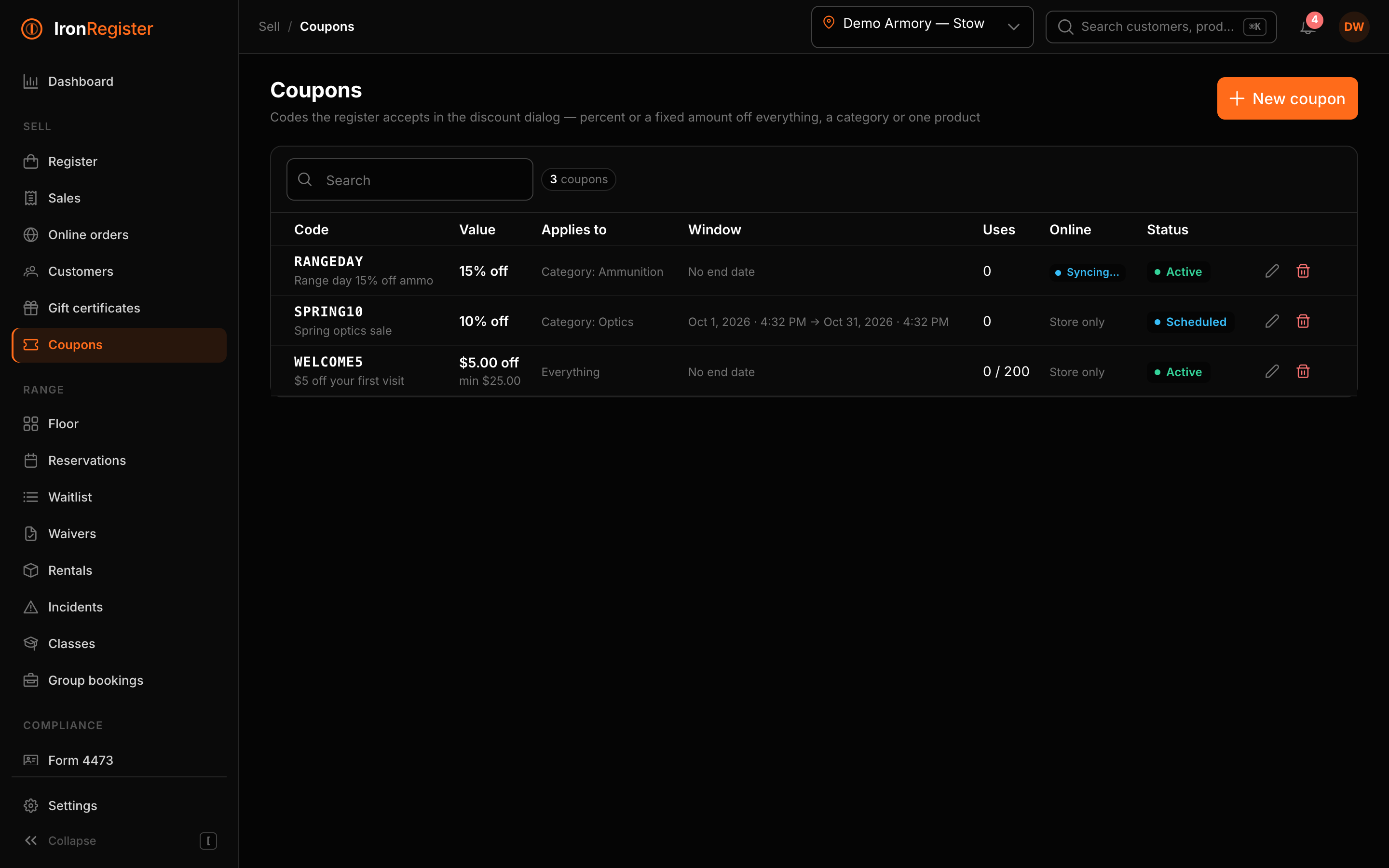
Sale prices with a window, in store only or in store and online. Coupons built at the POS that publish to BigCommerce with the same code, and online codes honoured at the register when you say so. BigCommerce customer groups mirrored in, so a VIP or a wholesale account pays the group price at the counter without anyone touching a discount key.
- Scheduled sales the storefront follows automatically
- Coupons in both directions, with windows and caps kept in step
- Group pricing resolved the way BigCommerce does it: product rule, then category, then storewide
- Every discount on the receipt with its reason
Online orders & returns
Online orders at the counter. Counter history online.
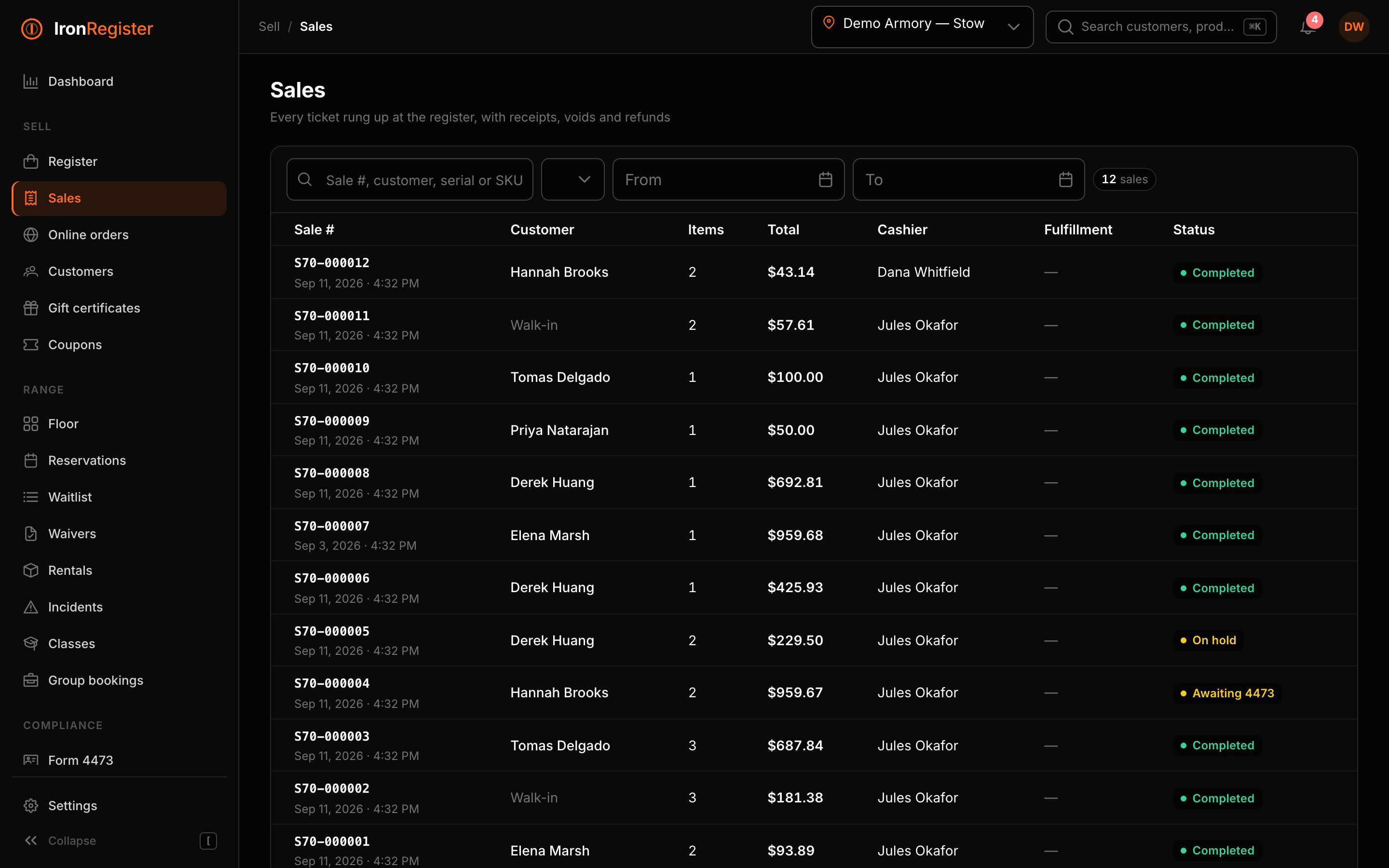
Scan a receipt or type an order number and the register opens it, whether it was rung here or placed online. Note it, refund it, add or remove an item, cancel it — or take an online order back in store with the refund on the original order and the stock back on the shelf. Your customers see their counter purchases, transfers, store credit and gift cards inside their BigCommerce account.
- One search for POS sales and BigCommerce orders, from the register
- Returns and exchanges for either kind of sale, with restock per line
- “In-store purchases” tab in BigCommerce My Account, read live from your server
- Custom register pages: tiles for lane time, services, fees and whatever you sell all day
Labels & tags
Price tags and firearm tags from the browser.
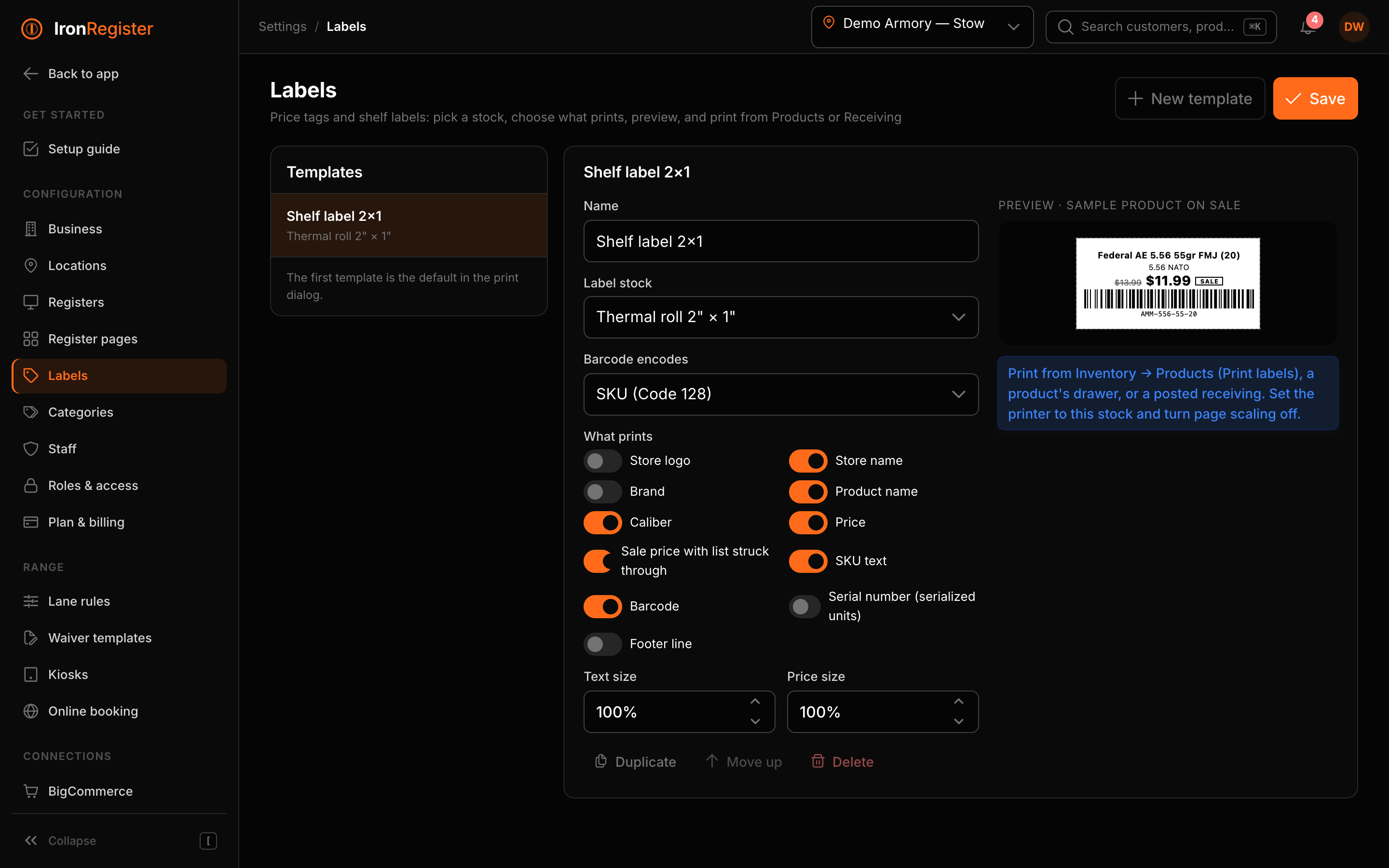
Thermal rolls, jewelry tags or Avery sheets — pick a stock, choose what prints, add your logo and a footer line, preview, print. From the products list, a product’s page, or straight from a receiving you just posted, one tag per serial for the firearms.
- Several templates per shop; the first is the default
- Sale price with the regular price struck through
- Serial-number tags that scan straight into the register
- Any printer that prints from a browser; no driver, no agent
Customers & multi-location
Every store, every FFL, one login.
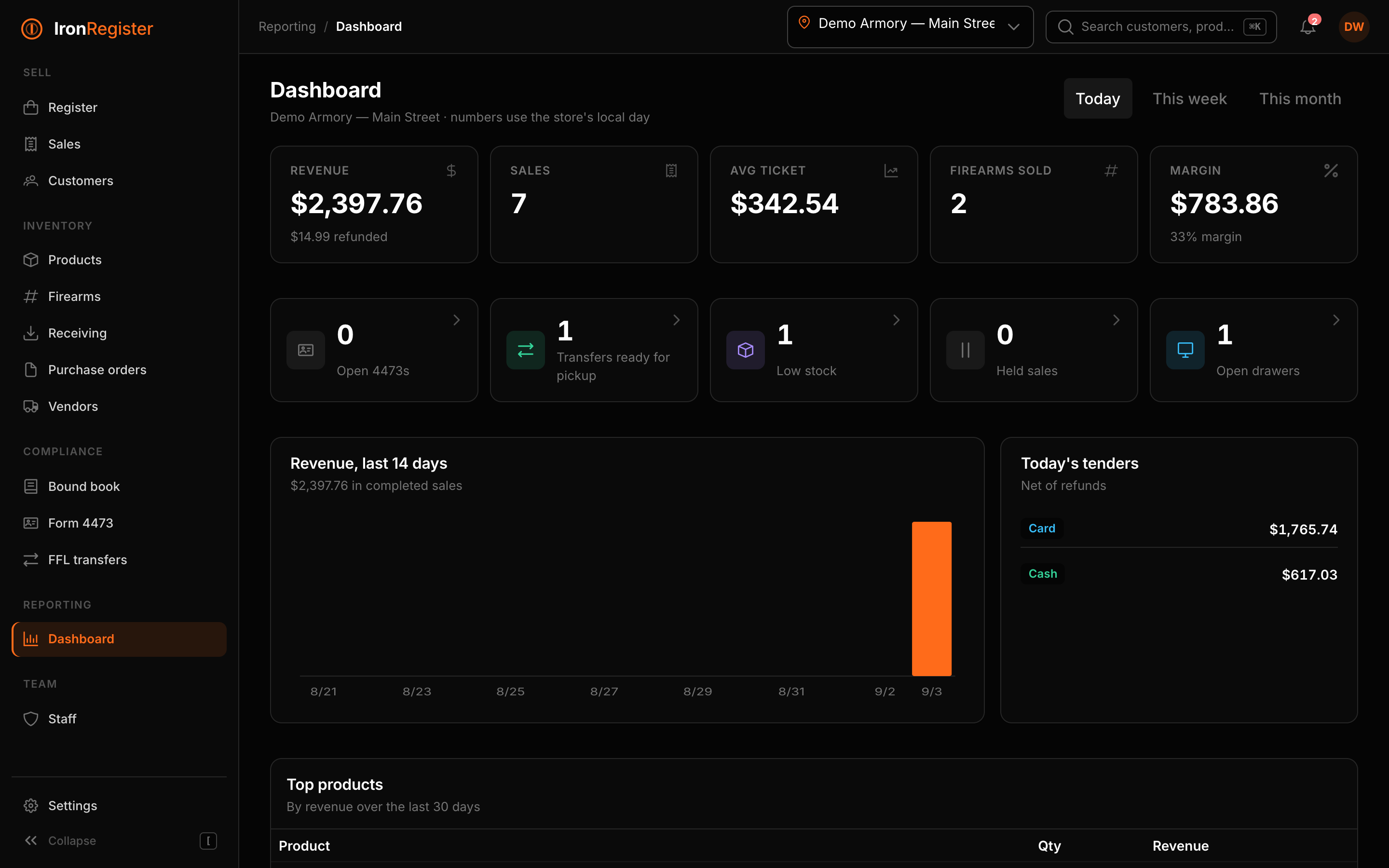
Locations carry their own FFL, tax rate, receipts and bound book. Staff see only the stores they work at. Owners see everything, with a dashboard that rolls it up.
- Encrypted ID numbers with blind-index duplicate detection
- Lifetime spend, 4473 and transfer history per customer
- Per-location registers and drawer reports
- Audit log of who did what, from which register